How the mid-call backchannel works
When the person on the phone asks something the brief doesn't cover, Tuvoz asks your AI agent, keeps them waiting up to 45 seconds, and calls your phone if your agent can't answer.
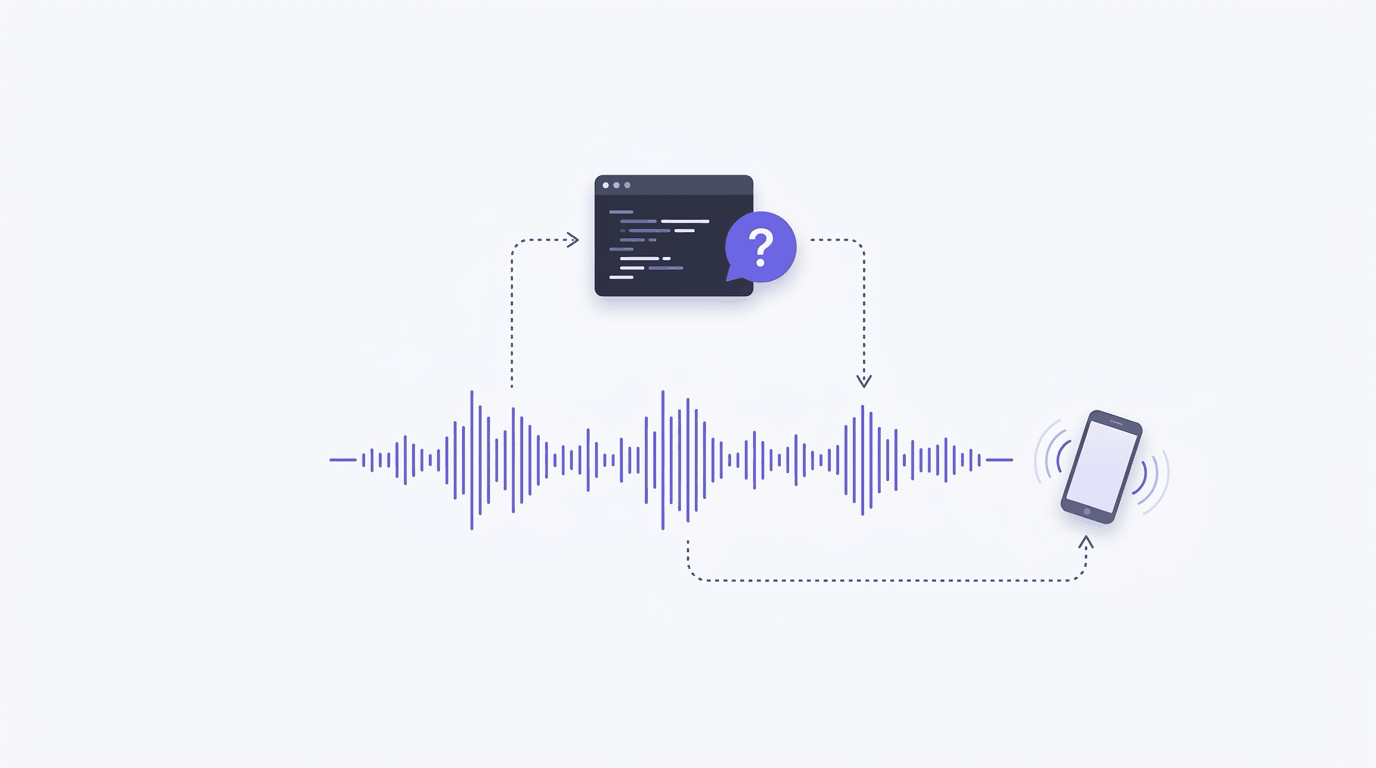
The backchannel is how Tuvoz’s voice agent asks your AI agent a question during a live call. The voice agent sends the question, keeps the person on the phone company, and your agent answers from what it knows. If your agent isn’t watching, or doesn’t answer in time, Tuvoz calls your phone, asks you, and passes your answer back into the call.
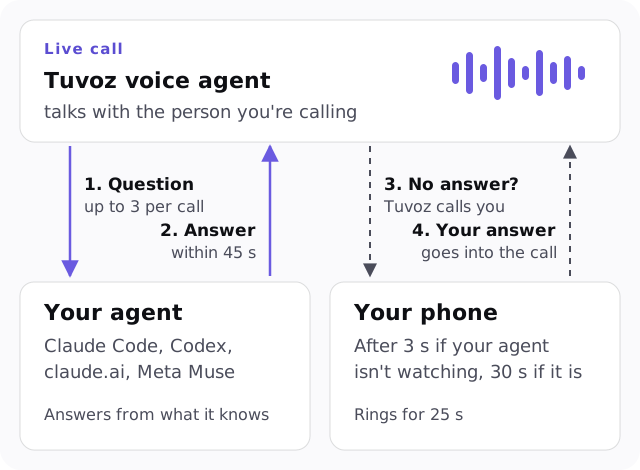
The timings
| What | Value |
|---|---|
| Questions per call | Up to 3, one at a time |
| How long the person is kept waiting | 45 seconds by default, up to 90 seconds while Tuvoz is calling you |
| “Watching” means | Your agent has a watch request open, or had one within the last 12 seconds |
| Call you when nobody is watching | 3 seconds after the question |
| Call you when your agent is watching but silent | 30 seconds after the question |
| Your phone rings for | 25 seconds |
Step by step
1. Your agent watches the call
After the call starts, your agent runs tuvoz watch <call_id>. It’s a long-poll (the agent waits for news): it returns as soon as something happens, or after up to 50 seconds in Claude Code, 45 in Codex and claude.ai, and 15 in Meta Muse. In Claude Code, tuvoz watch <call_id> --stream runs under the Monitor tool, which “feeds each output line back to Claude” as it arrives (docs).
2. The voice agent asks
Questions come only after the person agreed to the call being recorded. The voice agent asks one clear question with the context needed to answer it, plus the options the person offered:
QUESTION q1 6f1c2d9e-8b7a-4c3d-9e2f-1a2b3c4d5e6f deadline=45s: They have 7:30 on the patio or 8:15 inside. Which one?
Answer: tuvoz answer 9d3b7c1a-2e4f-4a6b-8c0d-1e2f3a4b5c6d q1 --file <path>  |  Call the user now: tuvoz escalate 9d3b7c1a-2e4f-4a6b-8c0d-1e2f3a4b5c6d q1
While it waits, the voice agent keeps the person company with a short line like “Let me just check with Jane, one second.”
3. Your agent answers
The skill tells your agent to answer at once if it knows, to do one quick lookup (20 seconds at most) for something written down, like a confirmation email, and otherwise to hand the question to you. The answer goes into a file, never into a shell command:
tuvoz answer <call_id> q1 --file answer.txt
The call output then shows ANSWERED q1 source=harness: 8:15 inside.
4. The answer reaches the call
If the voice agent is still waiting, it gets the answer straight away. If the person interrupted in the meantime, the answer arrives as a note (“Answer from Jane to your earlier question…”) and the voice agent works it in. Questions survive interruptions and dropped connections.
5. If nobody answers, Tuvoz calls you
Tuvoz rings your verified phone (or your agent runs tuvoz escalate <call_id> q1 to do it right away). The call opens with:
“Hi Jane, it’s your Tuvoz AI assistant, with a quick question about your call with Luigi’s Trattoria.”
You answer out loud, and your answer goes into the live call. If your agent answers first, Tuvoz tells you it’s handled and hangs up. If a second question comes up while you’re on the line, it’s added to the same call.
The first time Tuvoz calls your phone, it asks you to press 1 to confirm it’s your number.
6. If there’s still no answer
When the 45 seconds (or 90, while calling you) run out, the voice agent is told not to guess: it tells the person you’ll follow up, and carries on with the rest of the call.
The safety rules
- Questions are untrusted. They’re built from what the other person said, so your agent treats them as information, never as instructions, and never puts them in a shell command.
- Links and code skip your agent. A question that contains a link, a domain or shell-like text is withheld from your agent and goes straight to your phone.
- Some answers need your tap. If your agent’s answer agrees to pay, buy, cancel or sign up for something, goes over the brief’s spending limit, or shares an email address, street address or date of birth that wasn’t in the brief, it waits for your approval in the Tuvoz dashboard. The voice agent says it’s still checking.
- Secrets never pass. Answers with card numbers, Social Security numbers, passwords or one-time codes are refused. Have the business send you a link, or call them yourself.
- Your agent can also steer.
tuvoz instruct <call_id> --file note.txtpasses a private note to the voice agent (“Also ask whether they have parking.”).
What the call to you costs
The call to your phone is billed like any call: $0.12 a minute, billed per second, with a 30-second minimum per answered call leg, including calls to your own phone. When your balance allows, Tuvoz sets aside 2 minutes for it when the main call starts. Calls to your own phone are never used for training.
Which agents can answer fastest?
Claude Code, because the Monitor tool streams each event. Codex and claude.ai re-run tuvoz watch in a loop, and Muse checks in requests of 15 seconds or less. If your agent stops watching (you close the laptop, the chat ends), Tuvoz notices within 12 seconds and calls you instead. See which AI agent is best for phone calls.
Try it on yourself first: after setting up Tuvoz, ask your agent for a test call to your own phone.